 ARCO
ARCO
ARCO
ARCO
$ arco --enterprise
One console to watch every session live, govern what each person can run, cap spend to a weekly budget, and keep API keys off worker machines entirely. No organization to configure, no invite codes — sign up and start building your team.
Create an enterprise account$ arco accounts
A simple three-tier tree. There's no "organization" object to create, no invite codes, and no seats to juggle — each tier just creates the one below it.
A manager tier — you create managers, they create workers.
Or skip managers entirely — create workers directly under you (smaller teams).
Signing up as an Enterprise account makes you the root — you govern the entire tree and can watch everyone. There's no separate owner or org entity; your account is the company.
Add a manager by typing a username and password — no email invites, no self-signup. Each manager then creates their own workers the same way.
There's no special build. Managers and workers sign into the same Arco; their account is shaped by where they sit in the tree. Managers see and instruct only their own workers — you see all.
$ arco manage
Govern the whole tree from one panel — models, spend, keys, and access. Limits are enforced in the engine, not just hidden in the UI.
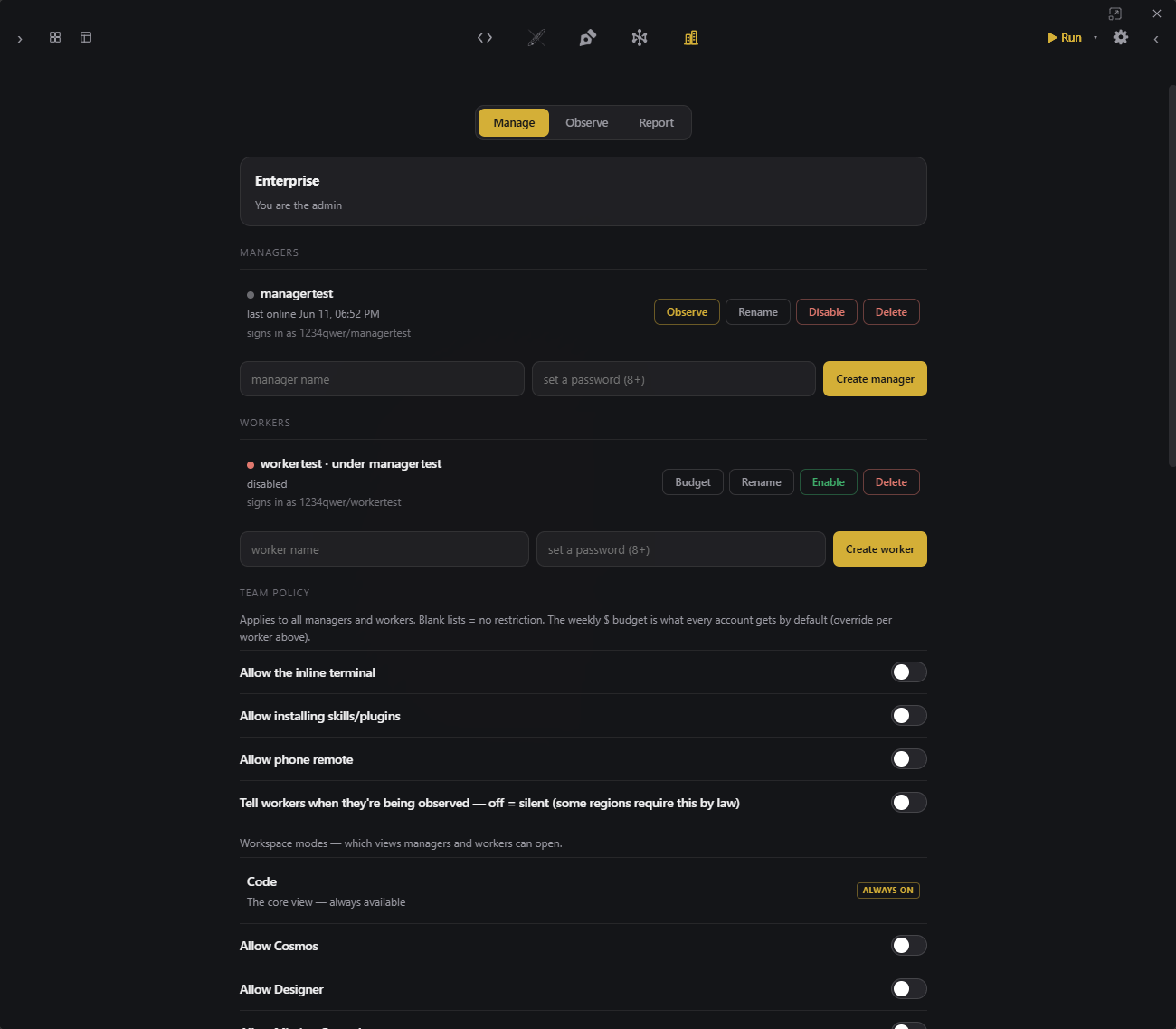
website/manage.pngPick exactly which AI models and which installed CLI agents each role may use. Everything else is locked — enforced at the engine, so it can't be clicked around.
Set a default weekly $ cap for everyone, then override it per person. Budgets reset Monday and track real cost, not tokens.
Arco's gateway injects API keys per request and meters them — workers never hold a key, and you can cut off spend instantly. CLI agents run on your flat-rate local subscription, billed separately.
Choose which modes — Cosmos, Designer, Mission Control, customization — each role is allowed to open.
Turn any account on or off the moment someone joins or leaves. A disabled account loses access immediately, everywhere.
$ arco observe
Watch any subordinate's real Arco, live — while your own work keeps running in the same window.
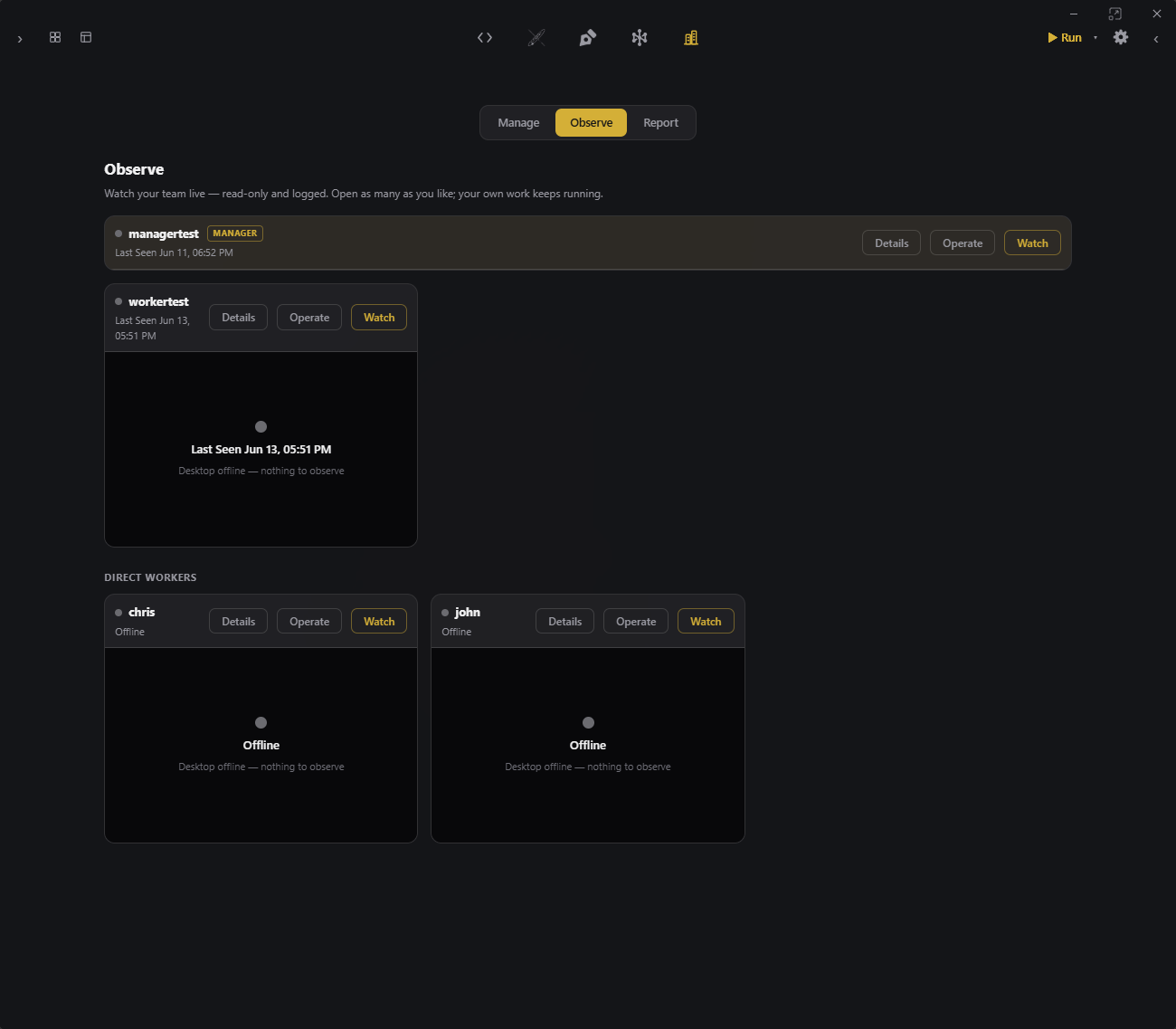
website/observe.pngOpen a teammate's session and see their actual screen stream in real time — their real Arco, proxied securely through the relay.
Everyone shows online, working, or offline, grouped under their manager, so you know who's busy before you open anything.
Admins can take control of a session to step in directly — guide a tricky change, not just watch it happen.
Viewing is silent by default and every view is logged. Flip on a disclosure badge where the law requires it — accountability without surveillance.
$ arco report
Weekly and monthly spend and activity, grouped by manager — built for planning and reviews, not just a number on a dashboard.
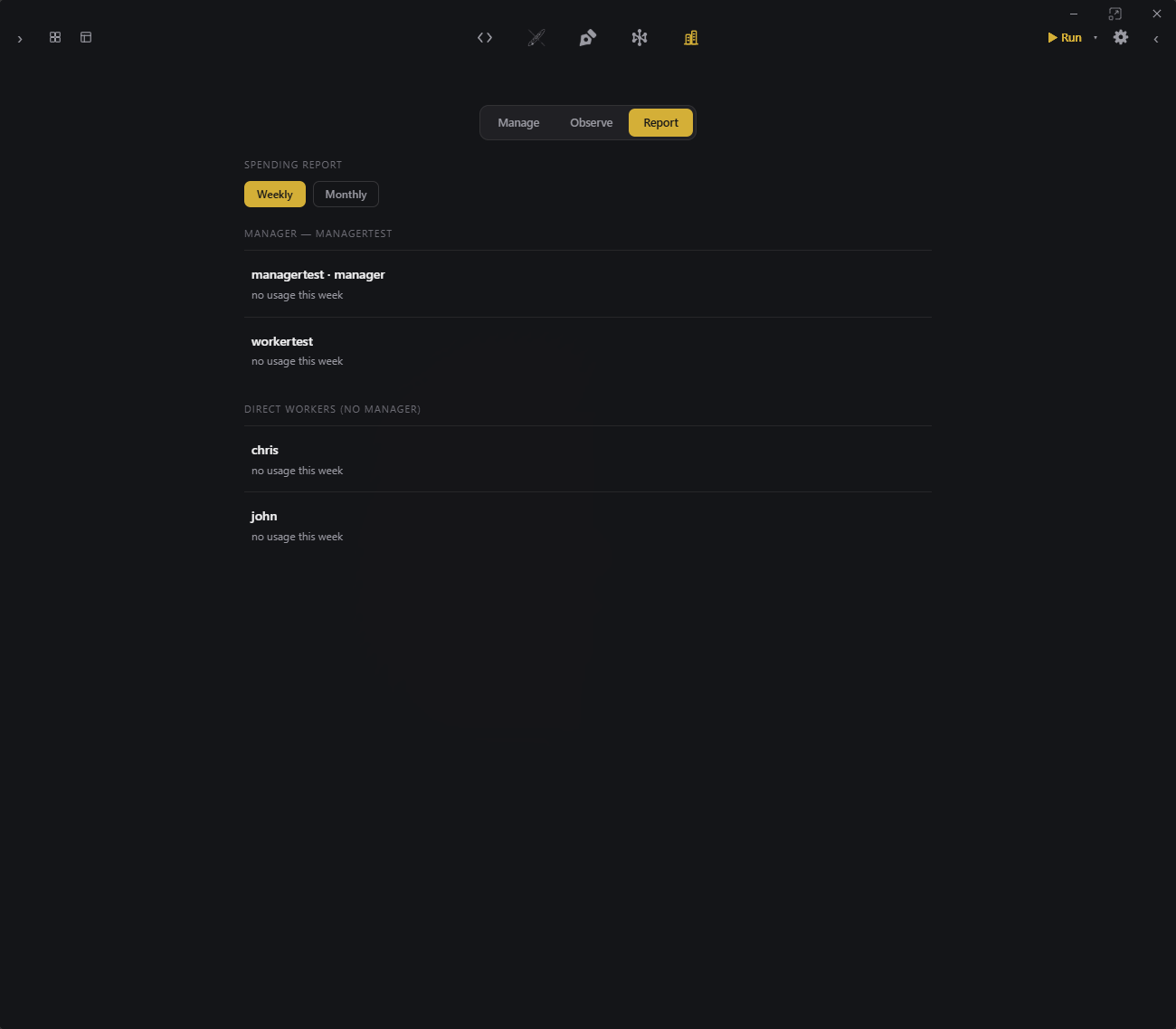
website/report.pngSee exactly what each manager and worker cost this week or month, biggest spender first, with zero-usage people still listed.
Metered gateway dollars and flat-rate CLI work are shown separately, so you know where the money actually goes.
Turn counts, the mix of commands used, and the projects each person worked in — the data for a standup or a budget meeting.
Create your enterprise account and add your first manager in under a minute.